Online booking
Let your guests book on their own, any time
Guests open your studio’s link, pick a class and book. You no longer answer every message just to say whether a place is left.
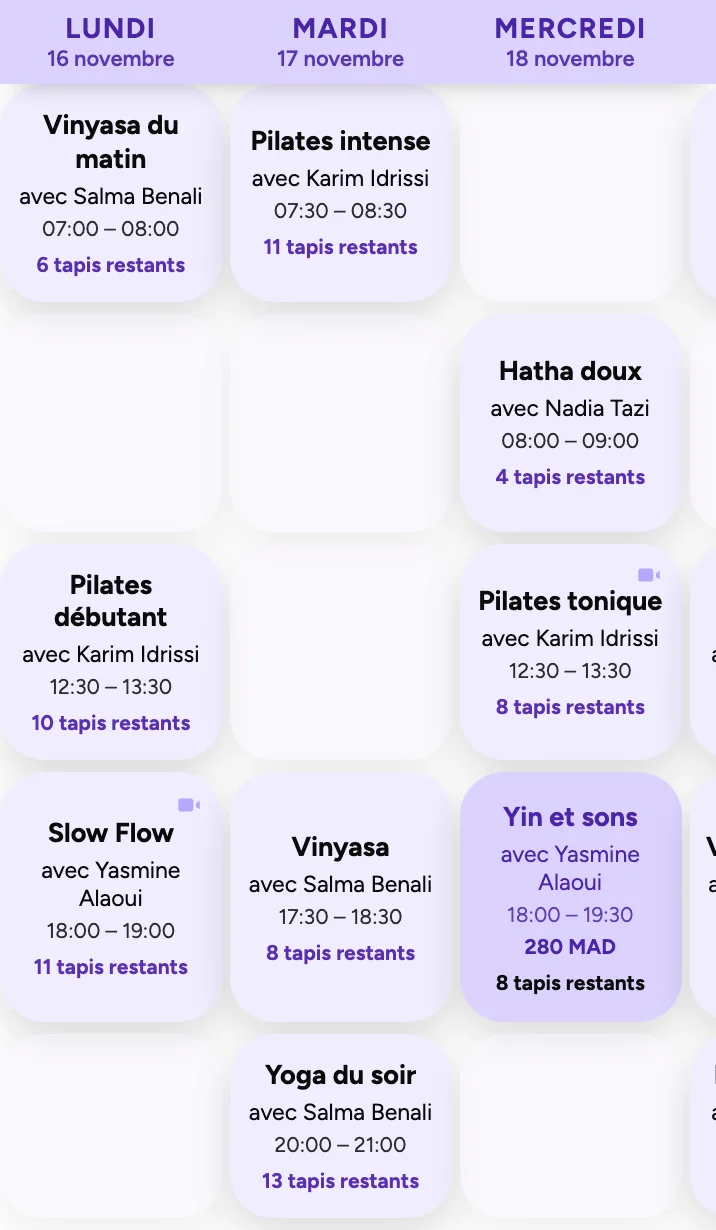
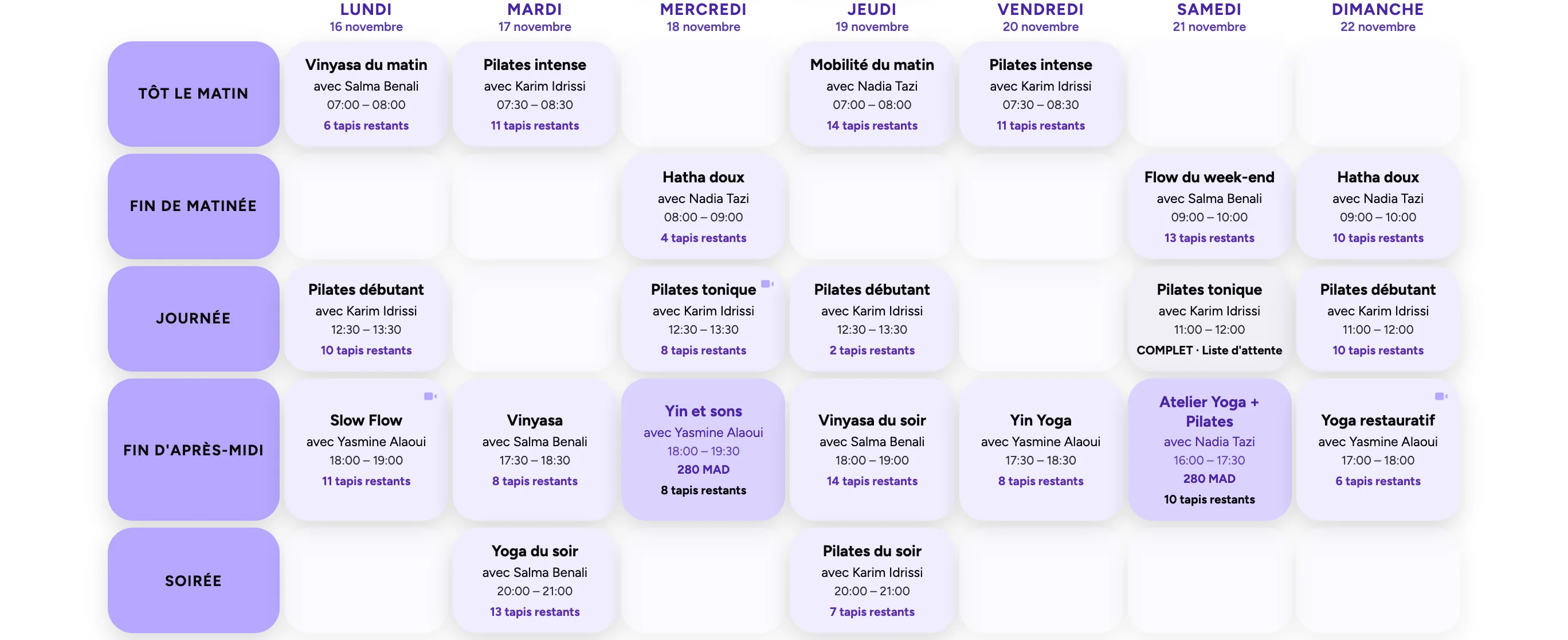
The timetable, live
Guests see every class of the week and how many places are left. They book in a few taps from their phone, with no app to install. The page works in English and French.
- Live places left
- No app to download
- English and French
A waitlist that works for you
When a class is full, guests join the waitlist. If a place opens up, Aubeli offers it automatically. You have nobody to chase.
- Join in one tap
- Places offered automatically
More than group classes
Guests can request a private class or ask to rent your space. You also list workshops and events on the same page. For new guests, you can set a price for their first class.
- Private class requests
- Space rental requests
- Workshops and events
- First-class intro price
An account for every guest
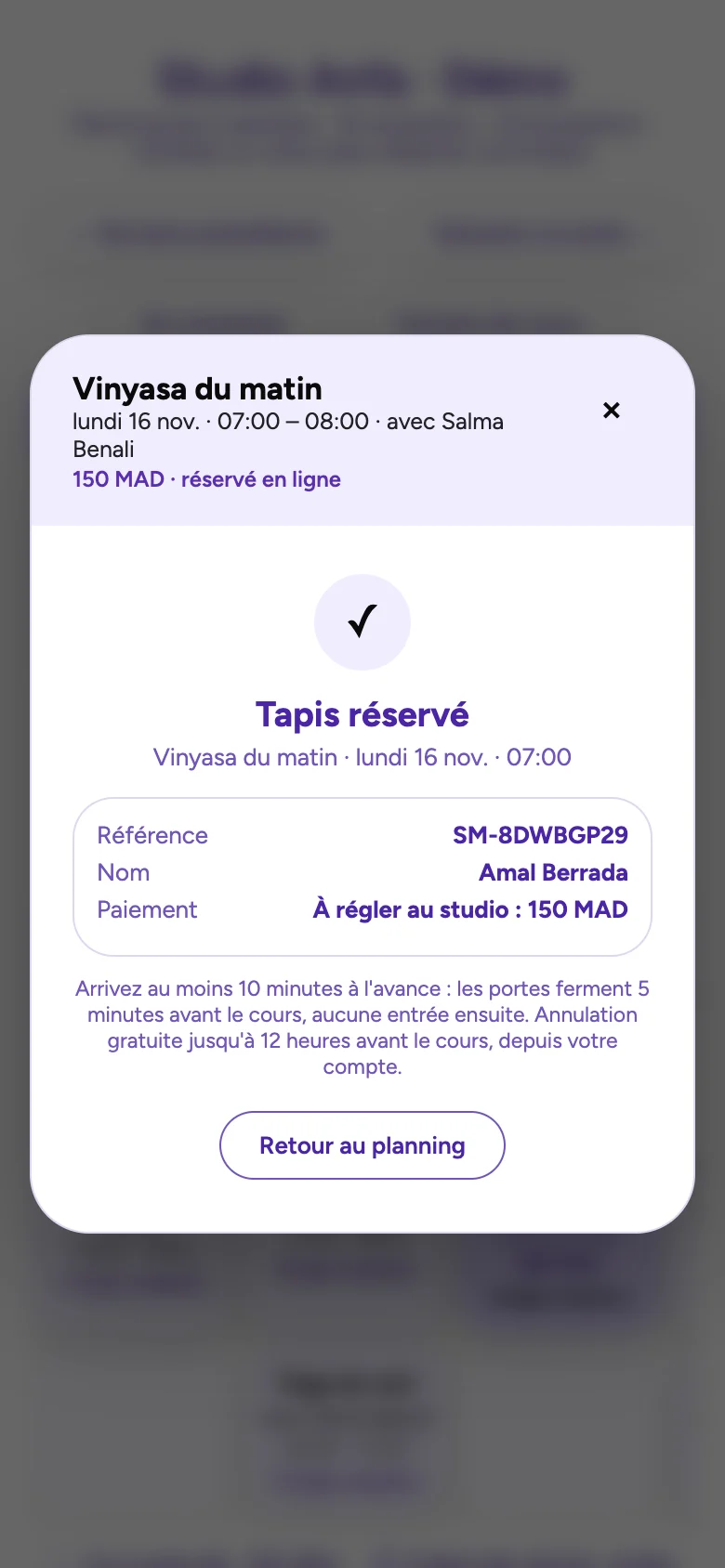
Each guest gets a link by email to open their account, with no password. They see their bookings, cancel under your studio’s rule and check their class pack balance. After every booking they get a confirmation.
- See and cancel classes
- Class pack balance
- Confirmation on WhatsApp or by email
Your questions.
Do my guests need to create an account?
No password needed. They get a link by email to open their account, see their bookings and follow their class pack.
Can I set a cancellation rule?
Yes. Guests cancel on their own, within the rule you choose for your studio.
What happens when a class is full?
Guests join the waitlist. If a place opens up, Aubeli offers it automatically to the next person.
Where does my booking page live?
At aubeli.com/s/ followed by your studio’s name. With Studio Plus, you can use your own domain.
Book your first class as a guest
Open the demo and try booking from start to finish, with nothing to pay.